
A Reader’s Record
April finished a Pulitzer Prize for Fiction book. She was so excited about the book that while she was telling me how crazy it was she was also running around the boat looking for her printout of Pulitzer Prize Books and found the list.
As she scanned the list, her book wasn’t on the pages! She had been crossing off the ones she wanted to read with a lime sharpie and marking the finished books with highlighter yellow over the lime. Hey, it works for her. Anyway, she was missing her pages.
So, she searched more and found the second half of the list in her desk in the forward v-berth desk.
As she was highlighting her title she said something along the lines of ‘I only have two more winners to read from the 1990s.’
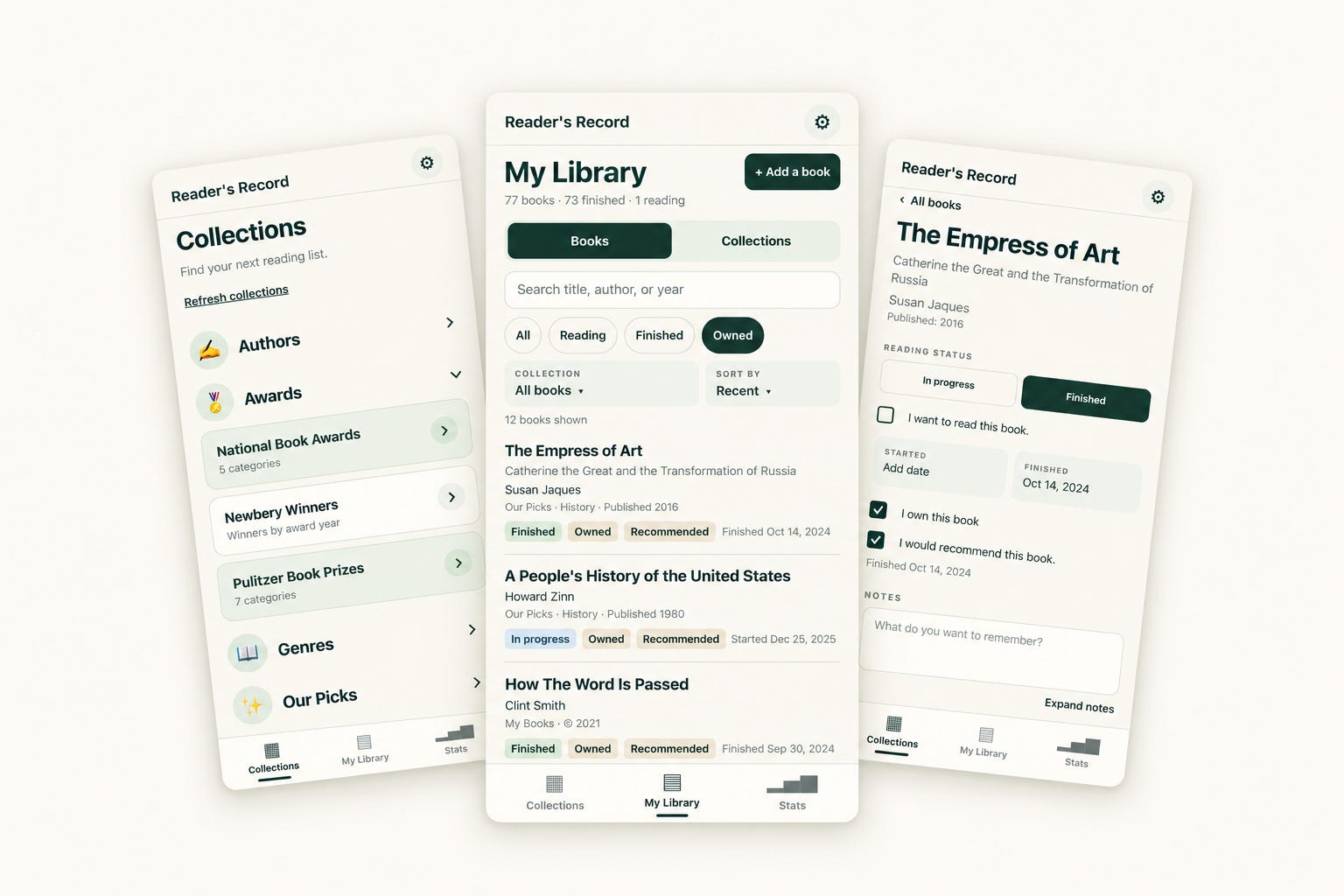
On Tuesday, she went to work. On Tuesday evening I showed her an app I built for her to track the books she wanted to complete. We called it the Reader’s Record.
I had gone a little overboard and went beyond duplicating her paper printouts. I had imported many of the other lists she has talked about over the years along with the titles from the Pulitzer Prize winning books and the year they won the award. I also texted my friends to see what they were reading and imported their book lists.
As I’m known to do, on Wednesday I started putting what I call polish on the app, senior developers would call it “project creep.” Today I put the app into the process to be downloaded in the Apple App Store.
The first version is finished, tested by April and me and now it’s ready for anyone to use (well, only the first 100 people who sign up).
You can the Reader’s Record app now if you have an iPhone: https://testflight.apple.com/join/WPpexH9v
The first 100 registered users will get a “Founder’s Badge” on their Stats page. This page tracks your reading progress automatically..
To use the app, there are two main sections, My Library and Collections.
Collections are book lists. You can open them and browse and if you’ve read one or want to read one or you own the book already, check a box and it will move to your “My Library” section.
In your private My Library section you can add books, keep track of what you are reading and document books you’ve already read. You can make notes on your book as well.
There are other features like Reading Challenges and the ability for you to download your books into a .csv file which you can open in your favorite spreadsheet plan.
The app is open for 100 testers right now and we would love for you to give it a workout and give us feedback. There is a free guest mode and as long as you keep the app on your phone, your records will be stored on your phone and an option to sign in to back up your records to the cloud so you can use the app online and offline and always have your books and book lists for when you pass the next independent bookstore.
We’d love your feedback
Download and the Reader’s Record app for iPhone here: https://testflight.apple.com/join/WPpexH9v
What are you reading?
If you are working on a reading challenge and have a list of books you’d like us to add, let us know and we’ll try to add them.