
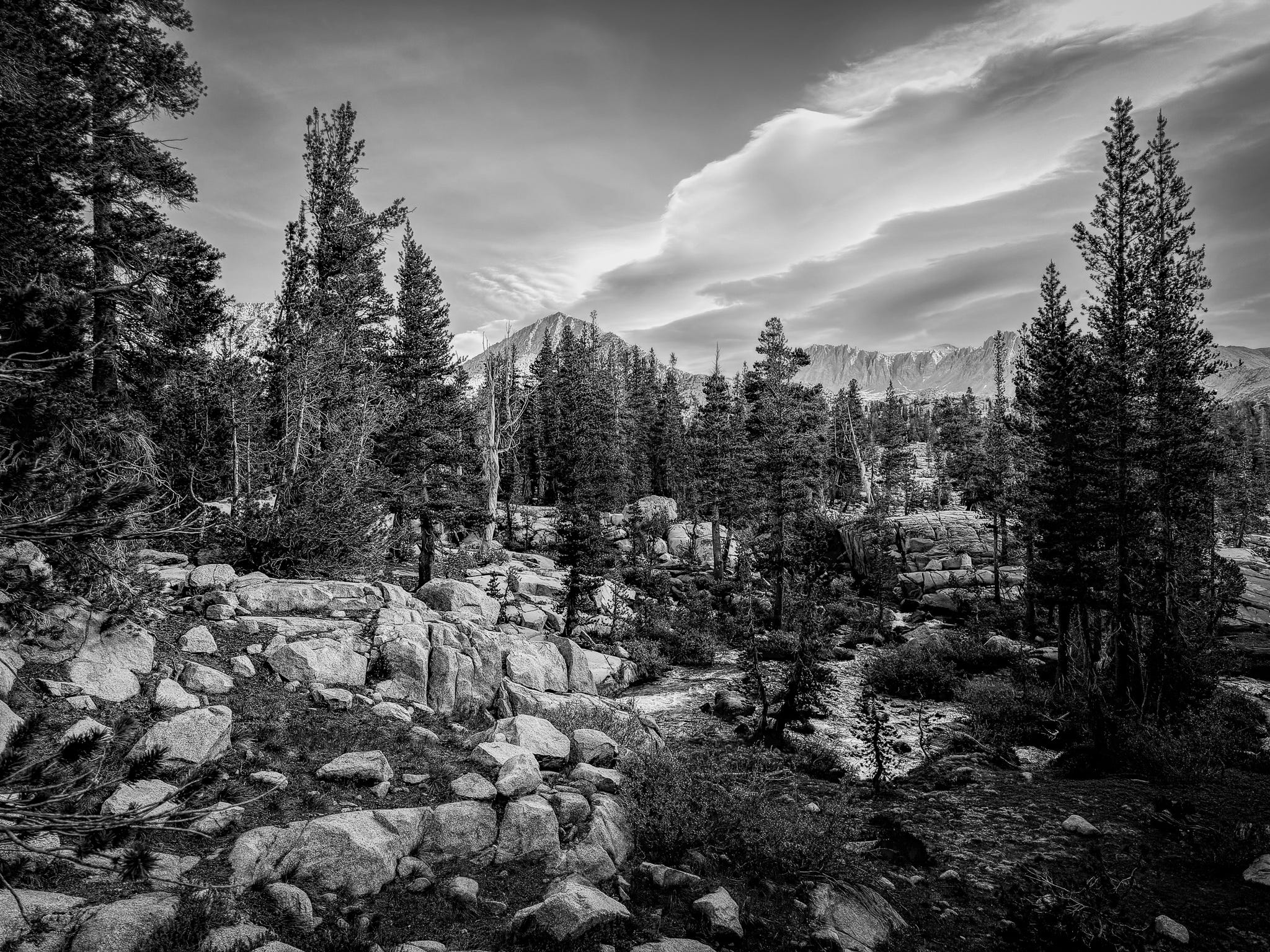
I’ve been posting daily photos in Substack Notes. Today’s image, above, was shot about an hour before I hiked up and over Donohue Pass on my Pacific Crest Trail hike in June, but I wanted to know exactly where I was so I could identify the mountain range in the background.
It is a black-and-white landscape. Trees. Granite. Mountains. Clouds.
There is no street sign. No house number. No license plate. No obvious indication of exactly where I was standing.
But the photograph itself has a lot more to say.
A digital photograph isn’t just a collection of pixels. It can also contain a surprisingly detailed record of when and how it was made, what device made it, what software touched it afterward and, sometimes, exactly where the photographer was standing when the shutter was pressed.
I pulled the embedded metadata from this JPEG to see what survived my normal workflow.
It is a remarkable little dossier.
The camera knows exactly when I took it
The photograph was made:
June 26, 2026 at 8:24:16.071 a.m.
Not approximately 8:24.
Not just 8:24:16.
The metadata records the time to a fraction of a second.
It also records the time-zone offset:
UTC -07:00.
Then there is another timestamp.
The photograph was modified on:
August 23, 2026 at 9:48:30 p.m., UTC -04:00.
Think about what that means.
Without knowing anything else about me, someone examining the file can see that the image was photographed in one time zone and processed nearly two months later while the computer was operating in another.
That isn’t particularly dangerous by itself. But privacy problems rarely come from one data point. They come from putting data points together.
It knows what was in my hand
The metadata says:
Apple iPhone 17 Pro Max
It identifies the rear triple-camera system and even the particular lens used:
6.765mm f/1.78
It records that this produced the equivalent field of view of a 24mm lens on a 35mm camera.
It also knows my exposure:
1/1600 second
f/1.8
ISO 80
No flash
Auto exposure
Auto white balance
For a photographer, this information is useful. I’ve looked at EXIF data thousands of times to answer the old question: What did I do to make that picture?
There is nothing sinister about EXIF.
But EXIF was designed to describe photographs, not to protect someone’s privacy.
And today’s cameras are computers.
It knows what I did to the photograph afterward
This is where the file gets even more interesting.
The original photograph was:
IMG_5101.HEIC
The copy I examined is:
IMG_5101.jpg
The metadata records that it was:
converted from image/heic to image/jpeg
It identifies the software I used:
Adobe Photoshop Lightroom Classic 15.5 on a Macintosh
And Lightroom left behind much of my editing recipe.
Among other things, the file says I:
increased exposure by 1.30 stops
reduced highlights by 82
increased shadows by 83
increased whites by 8
lowered blacks by 17
added a post-crop vignette of -23
converted the photograph to grayscale
It even contains information about Lightroom masks, including one named:
Vegetation
So the JPEG doesn’t merely describe what my camera did. It describes a meaningful part of what I did to the photograph later.
For most people that isn’t a privacy issue. For a photographer, though, it is fascinating. An exported photograph can carry pieces of your digital darkroom around with it.
Then there is GPS
This is the part everyone should understand. Modern phones can record geographic coordinates with photographs when location services are enabled. That can turn a picture into something very different.
Instead of:
“Here’s a picture of my dog.”
the file may effectively say:
“Here’s a picture of my dog, taken at 4:37 p.m. at these geographic coordinates.”
Those coordinates could be your house.
Your child’s school.
Your boat.
Your campsite.
A place you visit every Tuesday morning.
A secluded fishing spot.
Or someplace you very deliberately did not identify in the caption.
Interestingly, this particular JPEG does not contain the actual latitude and longitude coordinates.
The metadata I extracted contains:
GPS Latitude Ref: North
GPS Longitude Ref: West
But the numerical latitude and longitude values themselves aren’t there. So I can’t truthfully say that someone could download this particular JPEG and discover exactly where I was standing from its GPS metadata.
That’s an important distinction.
The original HEIC file, however, does contain the coordinates. I apparently excluded that information somewhere in my Lightroom/export workflow.
This image was made at:
How did I find that out?
My iPhone saves my photos to Apple Photos, and I also have Google Photos automatically backing them up. The original HEIC contains the GPS coordinates. As soon as I had a signal and Google Photos backed up that original image, Google had a copy associated with that location.
Removing the coordinates later when I exported a JPEG from Lightroom didn’t undo that.
The location had already left my phone.
That is probably the most important privacy lesson in this entire exercise.
If you don’t want viewers—or the services you upload your photographs to—to know where you are or where you were when you took a photo, location data is the metadata I would worry about first.
Most of this isn’t dangerous
It’s easy to turn a discussion like this into technological paranoia. That isn’t my point.
Nobody is going to ruin my life because they discovered that I photographed this scene at ISO 80. The ICC color profile describing sRGB is not a privacy crisis. Neither is knowing that the JPEG is 2,048 × 1,536 pixels and about 1.8 MB.
Most metadata is mundane technical information necessary or useful for photography, color management, editing and publishing. The interesting part is how much information can accumulate in one seemingly simple file.
The useful privacy question isn’t:
“Does my photograph contain metadata?”
Almost certainly it does.
The better question is:
“Does it contain metadata I would rather not give to someone else?”
I use the free tool ExifInfo.org to see what information is embedded in image files. You can upload one of your own photographs and see what travels with it.
There is an obvious privacy irony here: you’re uploading the photograph to another website to inspect its privacy-sensitive metadata. ExifInfo says it deletes the original image after processing and deletes the resulting thumbnail and metadata later. If the photograph itself is sensitive, use a metadata viewer that works locally on your own computer instead.
Mobile-phone users should pay particular attention
A dedicated camera usually knows a great deal about the photograph.
A phone potentially knows considerably more.
Your phone is simultaneously a camera, GPS receiver, computer, clock, communications device and personal identity device.
When you take a photograph, some combination of that information can become associated with the image.
Then we casually upload photographs to websites, social networks, forums, dating apps, marketplaces, cloud services and messaging systems.
Sometimes a service removes metadata from the copy other people see.
Sometimes an application recompresses or rebuilds the image and much of the metadata disappears.
Sometimes metadata survives.
And there is another distinction worth remembering:
A website stripping metadata from the image it eventually shows the public is not the same thing as never uploading that metadata in the first place.
If you send the original file, the service has to receive that file before it can create a stripped or resized version.
That doesn’t mean every service keeps your original forever. It means I would not build my privacy strategy around assuming that somebody else will clean the file for me.
If you use an iPhone, you can check this yourself. Open a photograph in Photos and swipe up or tap the Info button. If the photograph contains location information, you’ll see it on a map.
When sharing a photograph from an iPhone, you can also tap Options at the top of the Share sheet and turn Location off before sending it.
But again, that only affects what you are sharing at that moment.
If the original photograph has already been automatically uploaded somewhere else, removing the location from a later copy doesn’t retrieve the information you already sent.
There is also information in the pixels
Removing metadata isn’t magic.
Look again at the photograph.
A person familiar with the landscape might recognize the mountains.
A photograph from your neighborhood might contain a street sign. A reflection in a window. A house number. A school logo. A distinctive building.
Computer vision makes extracting those clues increasingly easy.
Metadata is only one layer of information.
The photograph itself is another.
My new rule: publish a copy, not the original
For photographs where privacy matters, the safest approach is simple:
Keep the original. Publish a deliberately prepared copy.
Before putting an image online, particularly one made with a phone, think about whether you want to retain:
Location information.
Exact capture time.
Device information.
Creator information.
Editing history.
File identifiers.
For most landscape photography, I don’t particularly care if you know what lens I used.
I might very much care whether the file tells you exactly where I was standing.
The stakes become considerably higher when photographs involve children, homes, travel, valuable possessions or locations you don’t want publicly identified.
And this is one of those wonderfully strange things about digital photography:
We spend enormous amounts of time looking at what is inside the frame.
Sometimes it’s worth looking at everything traveling around with the frame, too.
What’s embedded in your images?
Give ExifInfo.org a try with one or two of your own photos. Then come back and tell me in the comments what surprised you—or whether you found anything you didn’t realize you were sharing.
I asked ChatGPT to look at the data that was captured and shared along with the image in my Notes post this morning. I was looking for the specific location where I made the image but Chad's reply was much more interesting and I thought it would be a good article. Let me know if you test some of your photos. What did you find? Do you care? Are you changing anything in your process?